
OTA Fees
Airbnb’s price adjustment, screen by screen: what it says and what it means
Starting September 15, Airbnb takes 15.5% of every booking from hosts outside the European Economic Area. If you are in the EEA or Switzerland, your date is October 13.
To go with it, Airbnb built a seven-screen walkthrough called “Service Fee Update.” It ends with a button that says “Confirm price adjustment.” The screens are calm and friendly. Nothing on them is false. But they are written to get you to click one button, and they skip the parts that might make you stop and think.
So here is every screen, what Airbnb says on it, and what it means for your money. If you have already clicked through it, this is what you agreed to. If you have not, or you hit “Not now,” read it first.
The math in one minute
Before: Guests paid a fee of about 15% on top of your price. Airbnb took 3% out of your payout.
Now: Guests pay no separate Airbnb service fee (they still pay taxes). Airbnb takes 15.5% out of your payout instead.
On a $100 night: you used to keep $97. If you leave your price at $100, you now keep $84.50. To keep $97, your price has to go up to $115.
That is the whole story. The seven screens are Airbnb’s way of telling it.
Screen 1 of 7
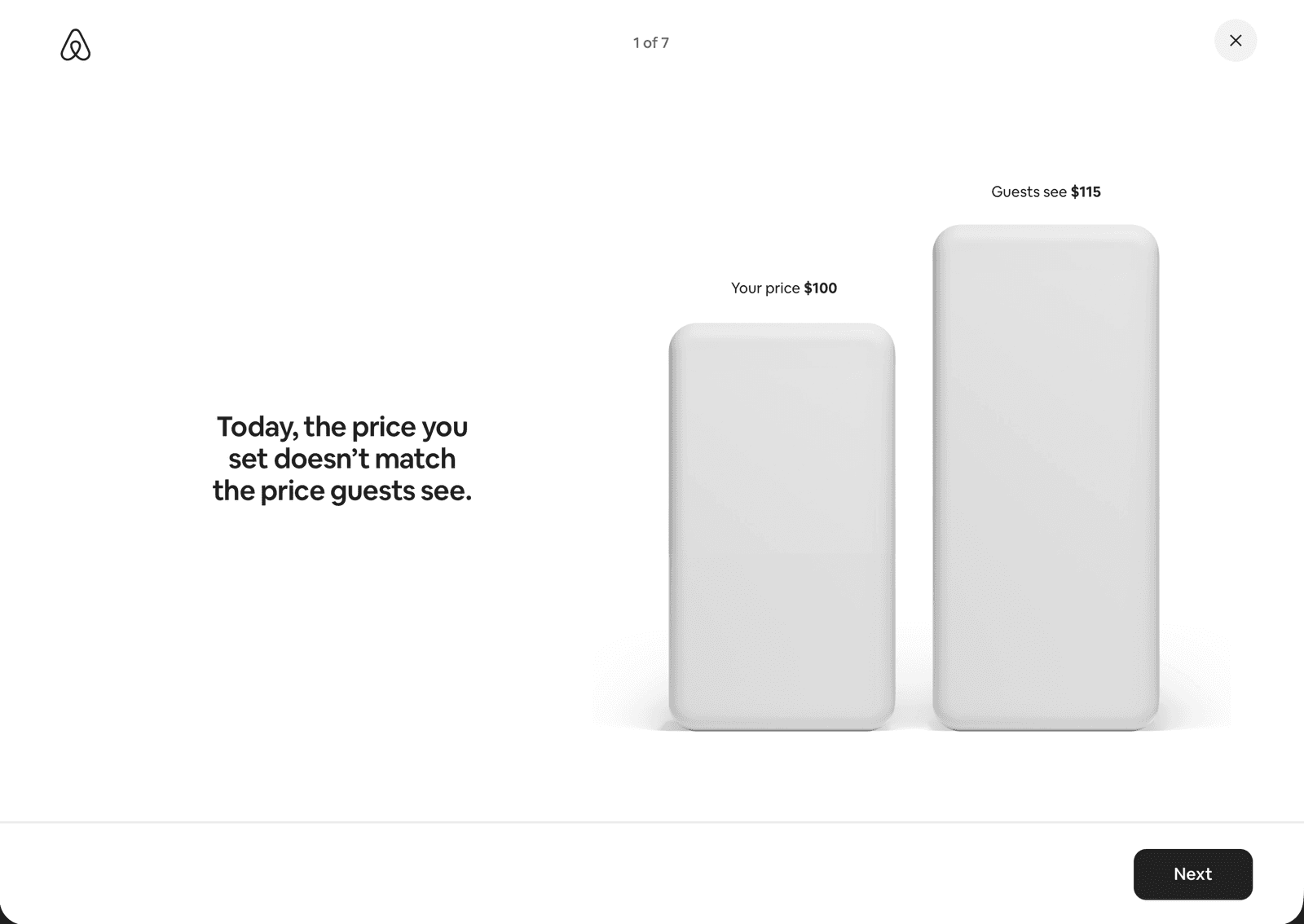
What it says: “Today, the price you set doesn’t match the price guests see.” Two bars. Your price is $100. Guests see $115.
What it means: Airbnb is setting this up as a fix for a mix-up. But there was no mix-up. You got $100, the guest paid $115, and the $15 in between was the guest’s fee, not yours. This screen is here to make $115 feel like the price you should have been charging all along.
Screen 2 of 7
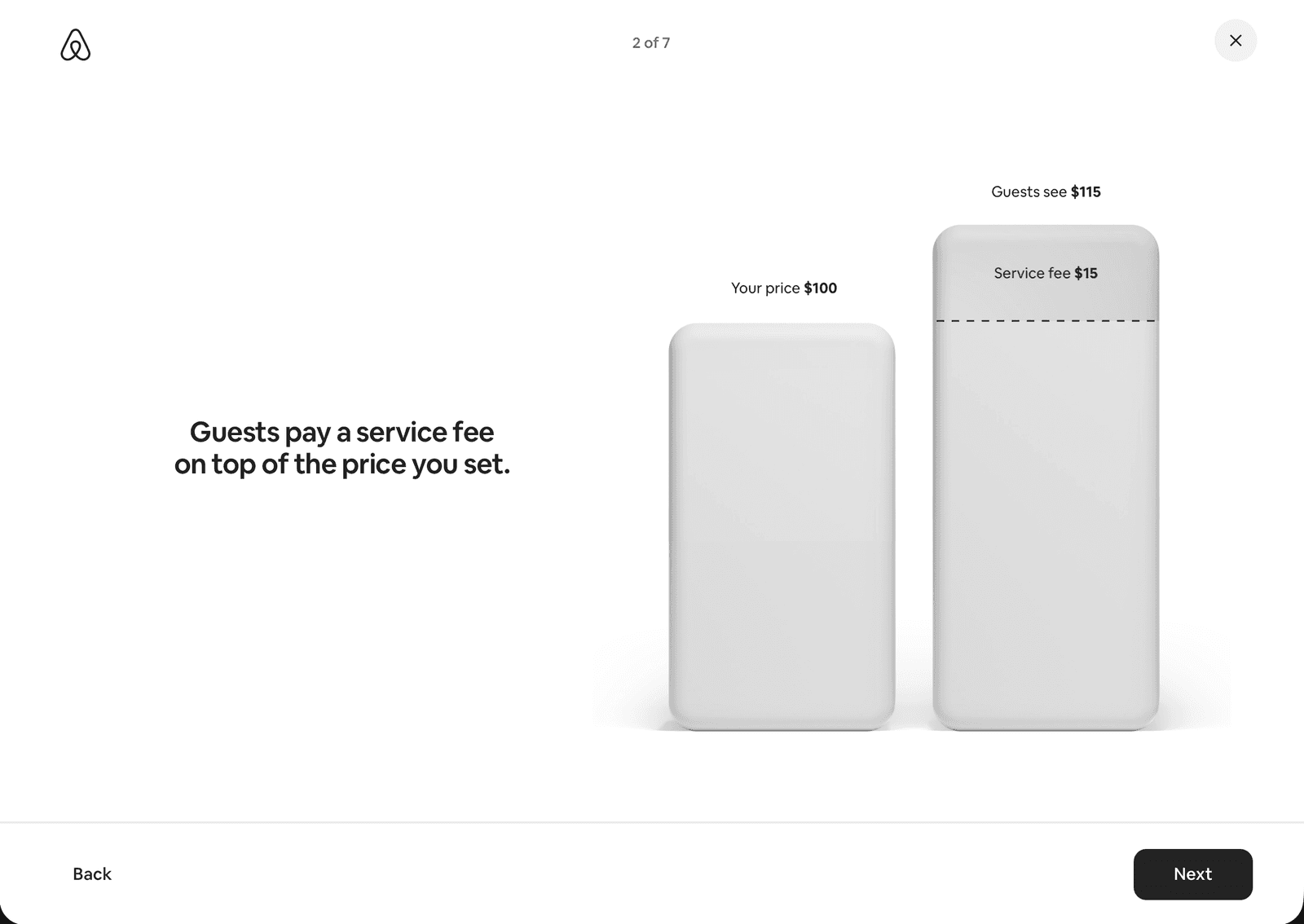
What it says: “Guests pay a service fee on top of the price you set.” The $115 bar now shows a $15 service fee.
What it means: This is the fee that is going away. Guests will no longer see a separate Airbnb service fee at checkout. They still pay taxes, same as before. That part is real, and on its own it is good for you. But the fee is not being removed. It is being moved to your side.
Screen 3 of 7
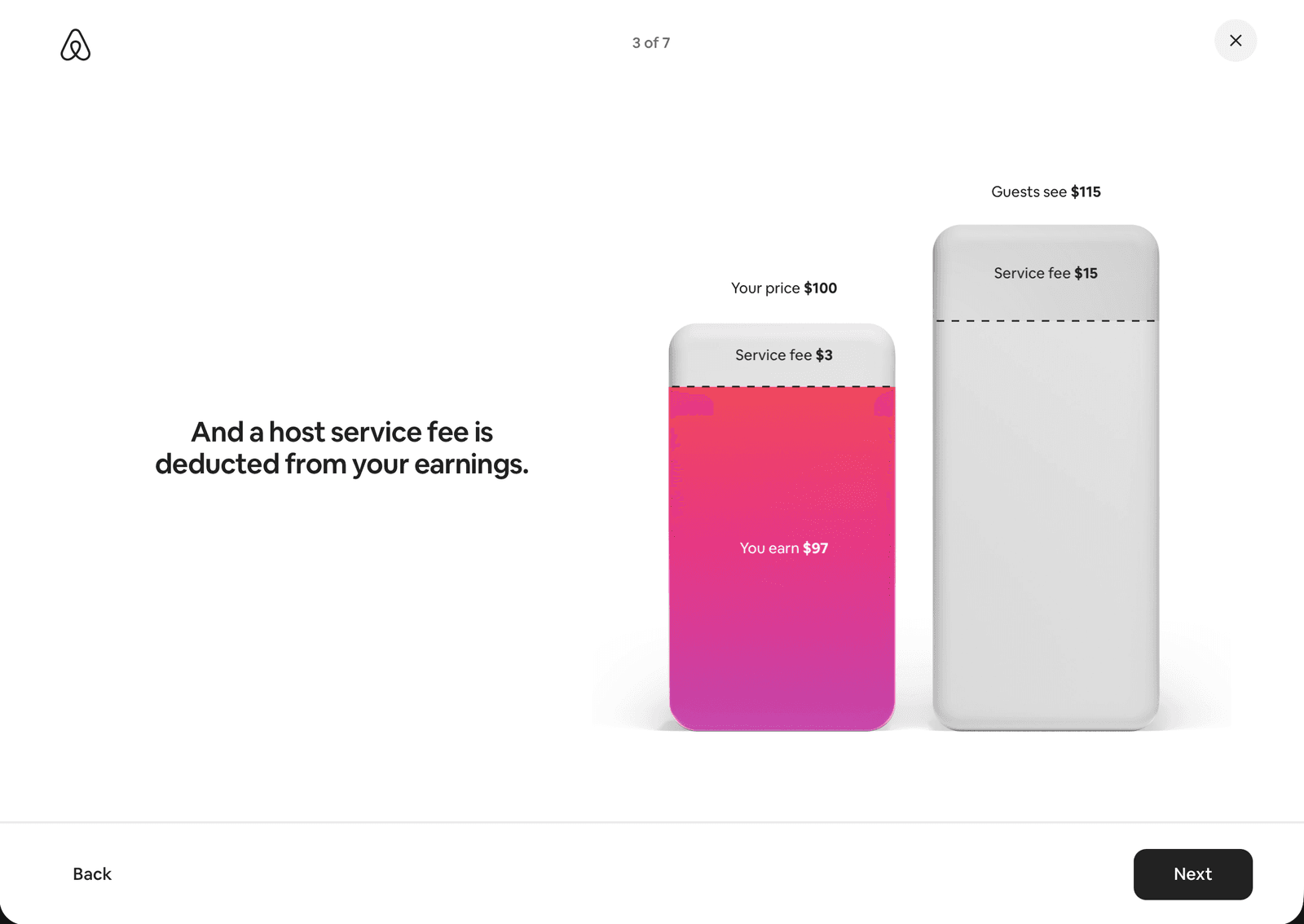
What it says: “And a host service fee is deducted from your earnings.” Your $100 bar shows a $3 fee, and “You earn $97.”
What it means: This is the 3% you pay today. Add it up: $15 from the guest plus $3 from you is $18. Airbnb still gets $18 on this booking under the new model. The only thing that changes is who pays it. You do.
Screen 4 of 7
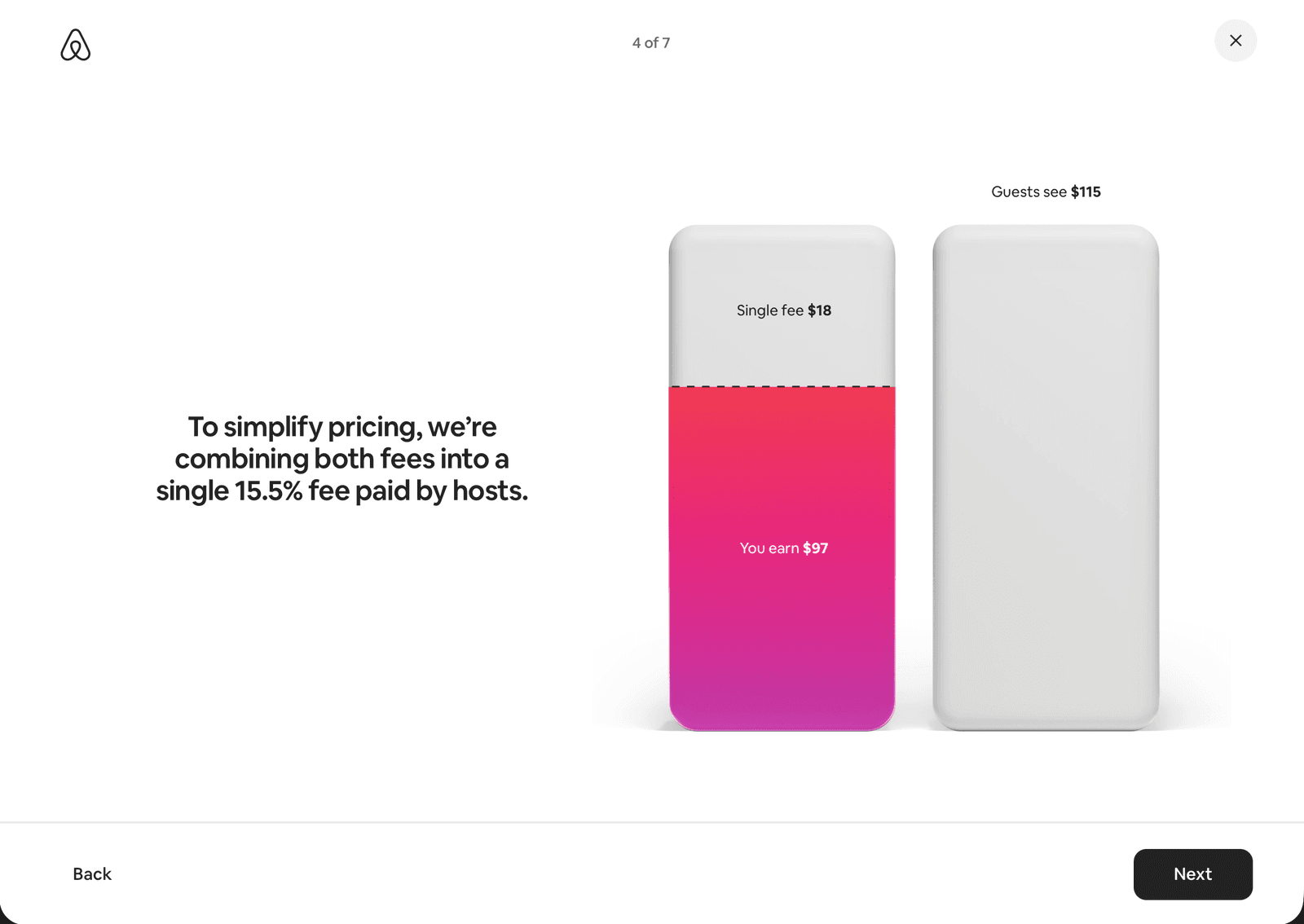
What it says: “To simplify pricing, we’re combining both fees into a single 15.5% fee paid by hosts.” Your bar shows “Single fee $18” and “You earn $97.”
What it means: Look at the left bar. One screen ago it was $100 tall. Now it is as tall as the $115 bar next to it, and the “Your price $100” label is gone. The screen keeps saying “You earn $97,” but that is only true if your price is already $115.
At $100, the fee is $15.50 and you keep $84.50. That number never appears anywhere in the flow.
Screen 5 of 7
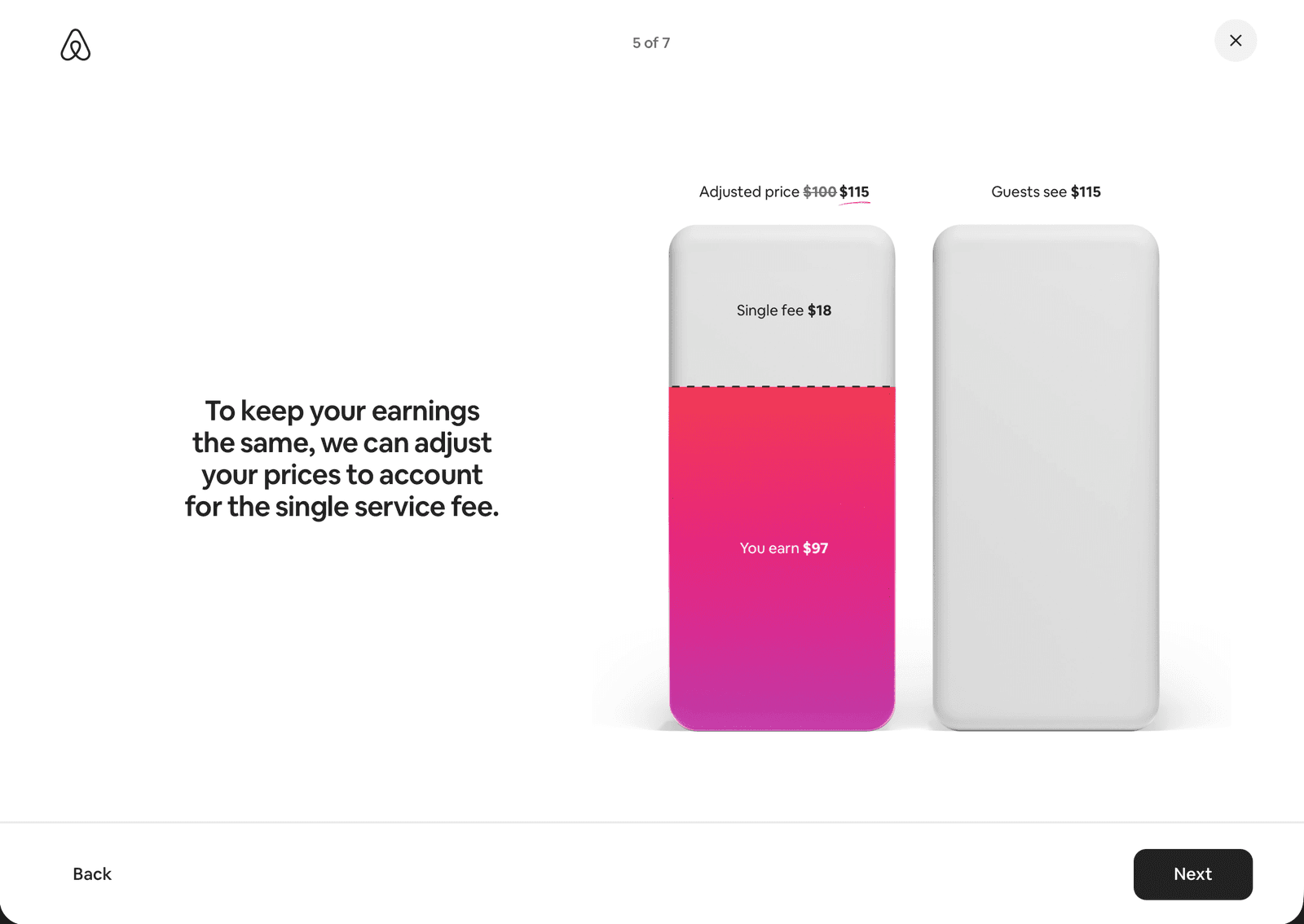
What it says: “To keep your earnings the same, we can adjust your prices to account for the single service fee.” The label reads “Adjusted price $100 $115.”
What it means: Here is the reveal. “Keep your earnings the same” means “raise your price about 15%.” The math is right, and raising your price is the correct move. It does mean a bigger gross number on your 1099-K next year, so plan for that. But notice the wording. A price increase on every open night is being offered to you as a favor.
Screen 6 of 7
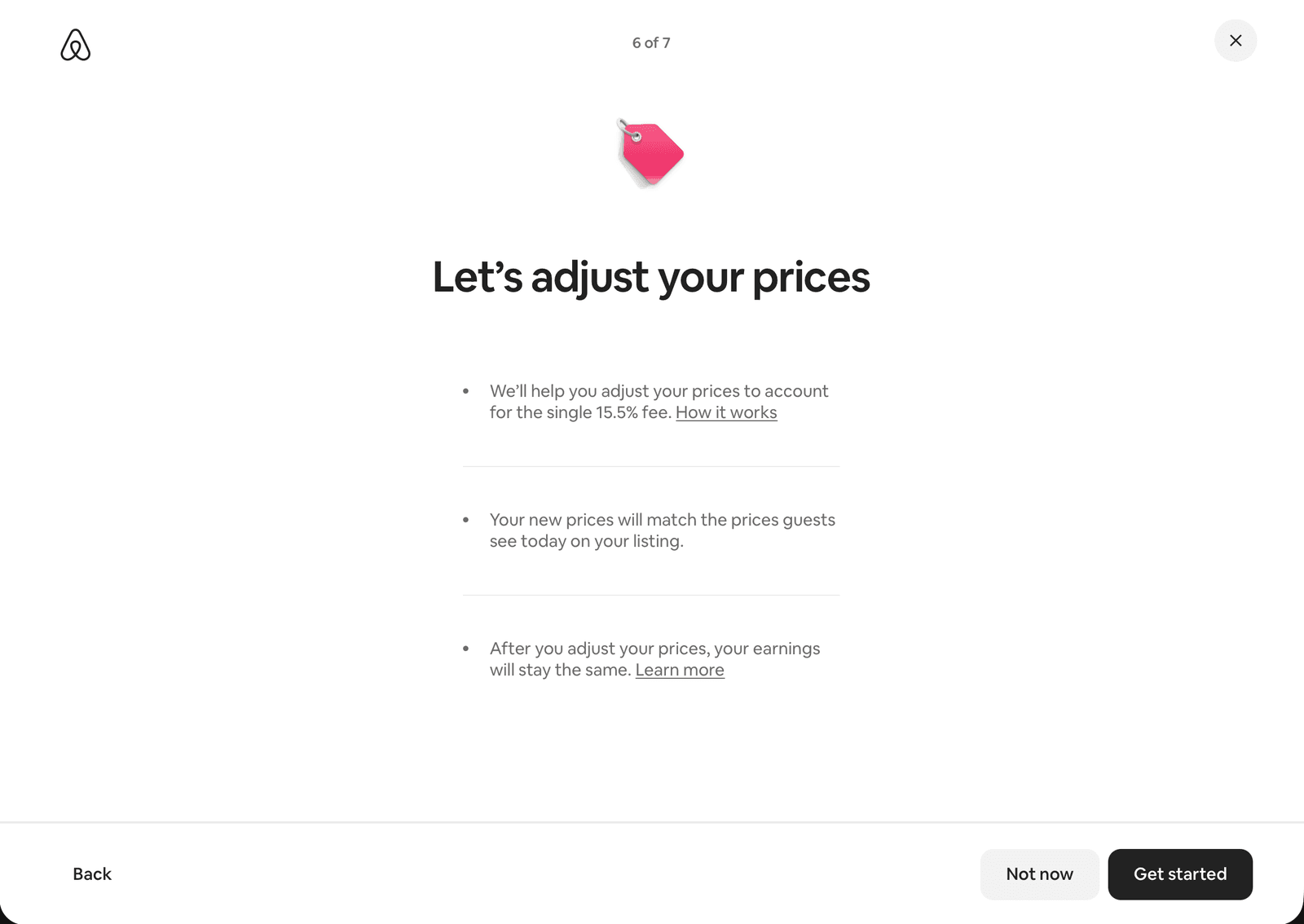
What it says: “Let’s adjust your prices.” Three points: Airbnb will help you adjust for the 15.5% fee, your new prices will match what guests see today, and your earnings will stay the same. Two buttons: “Not now” and “Get started.”
What it means: All three points are true for the nightly rate. Here is what they leave out.
- “Not now” is not free. The new fee applies whether you adjust or not. Saying no does not keep you on the old fee. It keeps you on the new fee with your old price. On every $100 booking, you keep $12.50 less.
- The 15.5% also comes out of your cleaning fee, pet fee, and extra-guest fee. Under the old model, you paid 3% on those. This screen does not mention them. Airbnb’s help page says the tool raises them along with your nightly prices, but the flow never shows you those numbers, and if you skip the adjustment they stay where they are. We broke down what the 15.5% fee does to your cleaning fee separately. After you finish, check that your cleaning fee went up. If it did not, you are now losing money on every turnover.
- “Earnings stay the same” assumes bookings stay the same. Guests should pay about the same total as before, since your higher price replaces their old fee. Whether they still book at the same rate is something you will only know by watching your calendar for a few weeks.
Screen 7 of 7
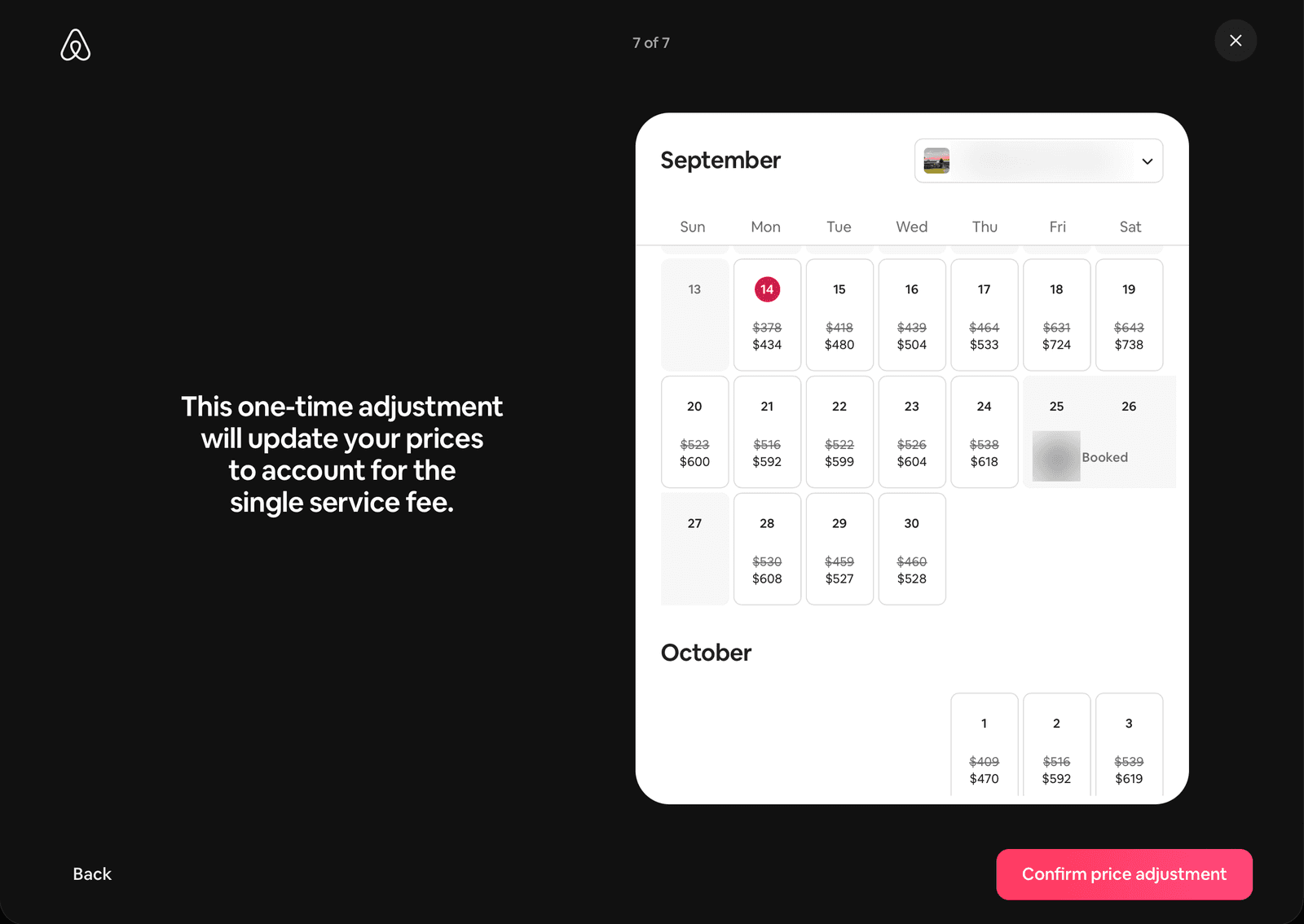
What it says: “This one-time adjustment will update your prices to account for the single service fee.” A calendar shows the old and new price for every open night. $378 becomes $434. $631 becomes $724. $409 becomes $470.
What it means: This is the only screen with your real numbers on it. Read it before you click.
- Every open night for the next two years goes up by the same amount, about 15%. That includes prices you set by hand for weekends, holidays, or busy weeks, and your cleaning, pet, and extra-guest fees, even though the calendar only shows nightly rates.
- Nights that are already booked do not change.
- The dropdown at the top shows one listing at a time. Click through each one.
- Your weekly and monthly discounts stay the same. They are percentages, so they work fine on the new prices.
- If you use a pricing tool like PriceLabs or Beyond, it will overwrite these prices the next time it syncs. Make sure the tool knows about the new fee, or this adjustment lasts about a day. If you connect to Airbnb through property management software, you were most likely switched to 15.5% back in October 2025 and should already be pricing for it.
The confirmation pop-up
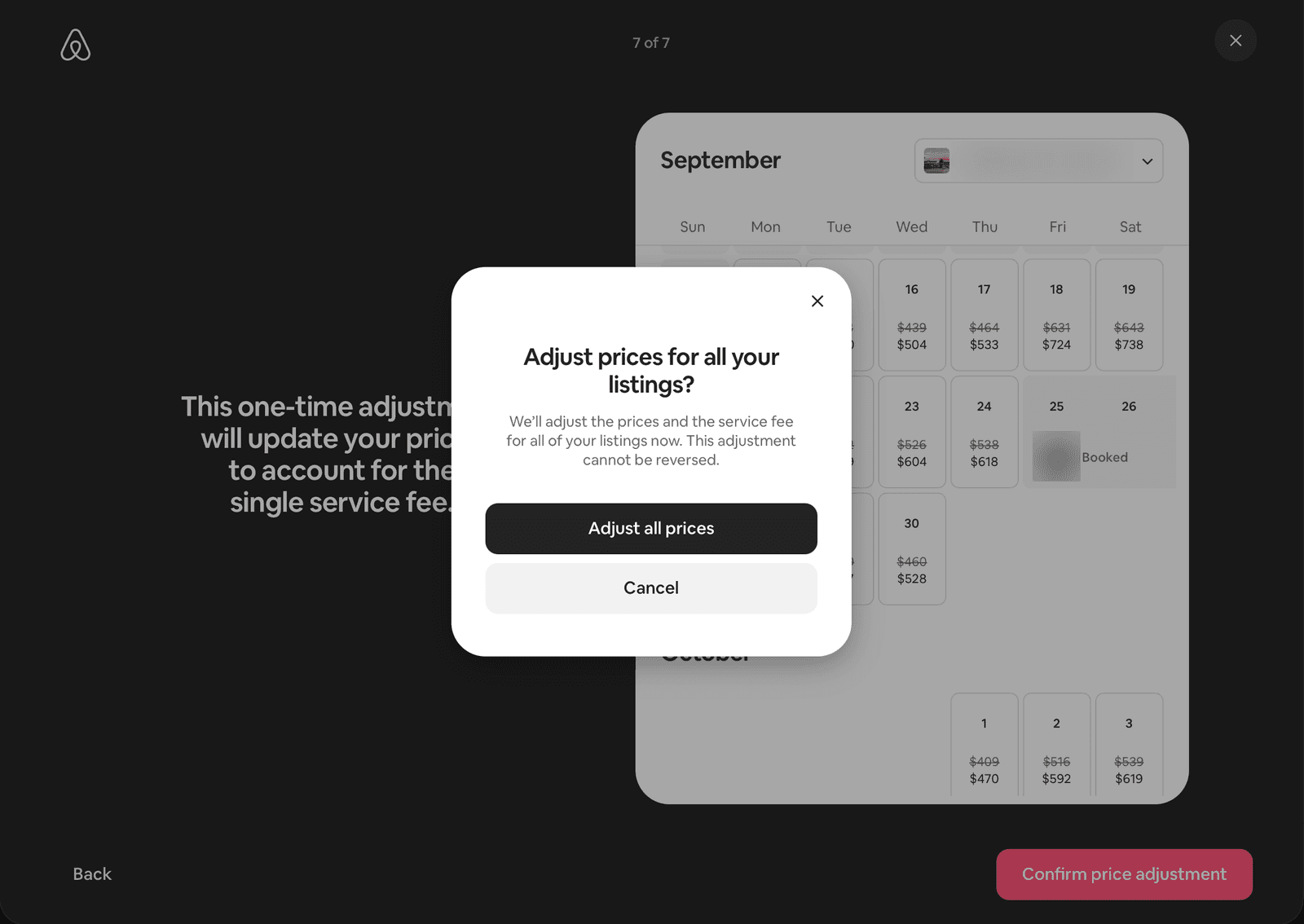
What it says: “Adjust prices for all your listings? We’ll adjust the prices and the service fee for all of your listings now. This adjustment cannot be reversed.”
What it means: This is the most important sentence in the whole flow, and it shows up in a pop-up after you have already clicked Confirm.
Two things to know. It is all or nothing. You cannot adjust one listing and skip another. And it cannot be undone. You can still change prices by hand afterward, but there is no button that puts the old numbers back.
If you want to handle each listing differently, click Cancel here and set prices yourself.
The last screen
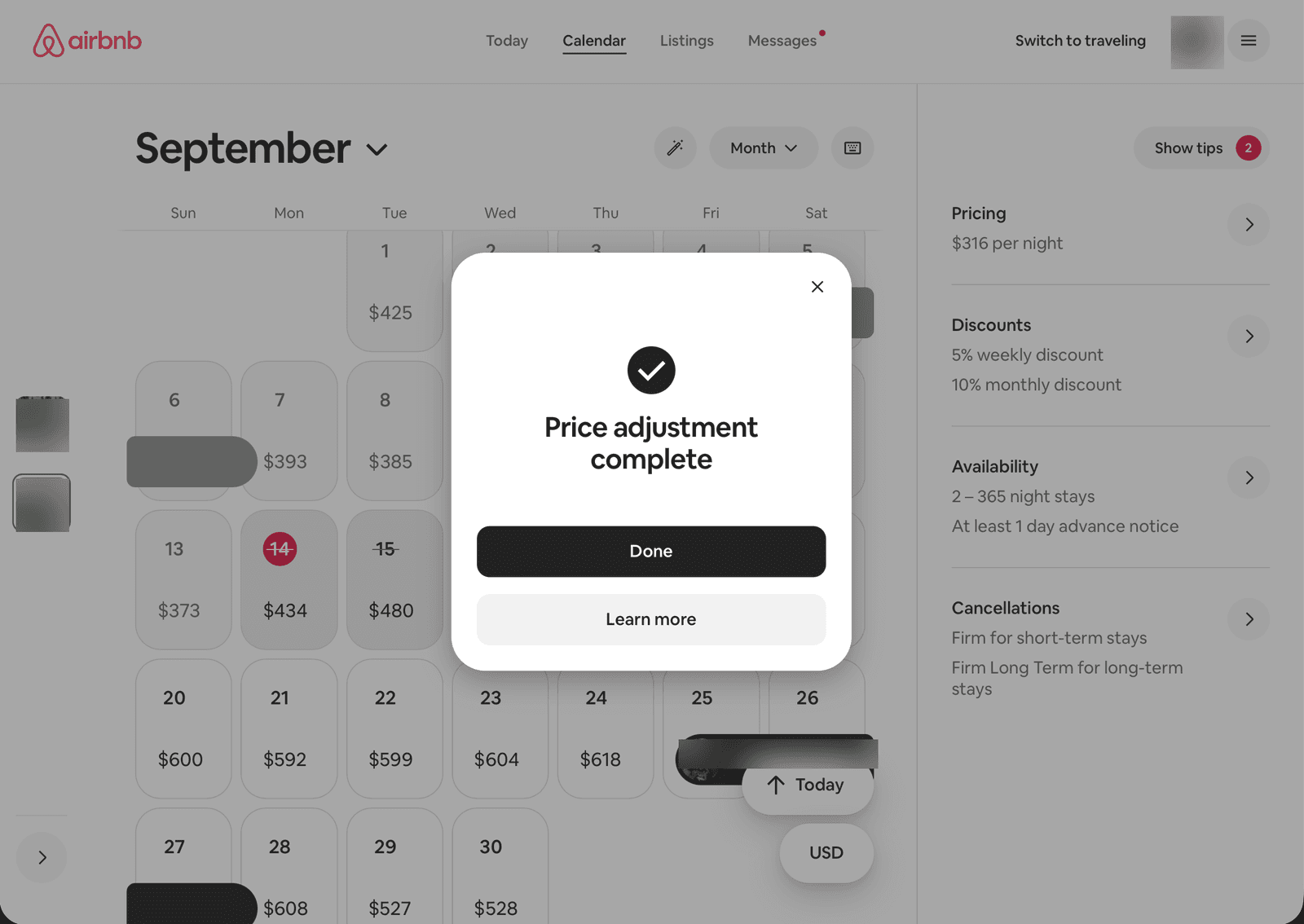
“Price adjustment complete.” Your calendar now shows the new prices. The “Learn more” link goes to Airbnb’s help page on the fee. Keep it handy. Your exact fee might not be 15.5%. Airbnb says most hosts pay 15.5% and the rest typically pay 14% to 16%, with Brazil and Mexico set at 16%.
What to do
If your prices were already right: accept the adjustment. The math works and it saves you an afternoon.
If you want to handle each listing differently: cancel at the pop-up and change prices yourself. Multiply every open night, and every fee, by 1.15.
If you already accepted: your nightly prices went up about 15%. Now check the things the flow did not show you.
Either way, once you are done:
- Check your cleaning fee, pet fee, and extra-guest fee. If they did not go up, raise them 15% too.
- If you use a pricing tool, make sure it is set for the 15.5% fee before it syncs again.
- Watch your bookings for a month. If they slow down, adjust your price. The fee is not going anywhere.
Our take
None of the seven screens lies. That is why it is worth reading them slowly. Every sentence is accurate, and the overall effect is that Airbnb taking $12.50 more from every $100 you earn feels like a tidy cleanup.
One price for guests is a good change. Hosts have asked for it. But it came bundled with a fee that moves the whole cost of the platform onto your side (see what OTA fees cost hosts and property managers in 2026), and the walkthrough that explains it never shows you that number.
You do not need to leave Airbnb to protect yourself here. You need to understand what you are agreeing to. Read the screens, do the math on your own listings, and make the change on your terms, not because a button said “Get started.” And if you already made the change, at least know what it did.
Airbnb says, let’s adjust your prices. We say, let’s cut your fees.
Every screen in that flow takes one thing for granted: Airbnb gets 15.5% of every booking you will ever take. Including the guest who has stayed with you three times. Including the family who found you on Instagram. Including the couple who would book again by texting you if you gave them somewhere to do it.
That is the part you can change.
Snapty gives your property its own booking site. Guests who already know you book there, at the price you set, with no commission taken out. You pay a flat fee, so we only do well when you do. New guests still find you on Airbnb. Repeat guests stop costing you 15.5% every time they come back.
Airbnb’s adjustment keeps your payout the same. Ours makes it bigger.
Stop paying commission on guests you have already earned.
See if Snapty fits →FAQ
Does the 15.5% fee apply to me if I click "Not now"?
Yes. The fee starts on your region’s date no matter what. "Not now" only turns down the automatic price change.
Can I adjust prices for one listing but not another?
Not in this flow. The pop-up applies to every listing on your account. To pick and choose, cancel at the pop-up and change prices by hand.
Does the adjustment change my cleaning fee?
Yes, according to Airbnb’s help page, along with your pet and extra-guest fees. The flow never shows those numbers, so check them after you finish. If you skipped the adjustment, raise them by 15% yourself.
Will guests pay more?
About the same. Your price goes up around 15%, and the separate guest fee goes away. The total at checkout should land close to where it was.
Can I undo it?
No. The pop-up says it cannot be reversed. You can edit prices one by one afterward, but there is no bulk undo.

Naureen Ali
Naureen is an 11-year Airbnb Superhost in the Pacific Northwest, where she runs two short-term rental properties.
Disclaimer: This article is for informational purposes only and does not constitute financial or tax advice. Airbnb’s fee structure, regional rollout dates, and the price adjustment tool are subject to change. Verify current details in Airbnb’s Help Center before changing your listings.
Sources: Airbnb Resource Center, “Simplifying service fees on Airbnb”; Airbnb Help Center article 4095 (price adjustment tool); Airbnb Help Center article 1857 (service fees); Airbnb Help Center article 2293 (lodging tax); screenshots of the Service Fee Update flow as shown to a US host on September 15, 2026.
Part of our short-term rental business and growth series.
Last updated on